AI Smile Generator for Natural Smile Effects | Imgfree
Use the Imgfree AI smile generator to add a warm, natural-looking smile to a portrait. Create an AI smile effect while keeping the person recognizable.
AI 微笑生成器
上传一张清晰的肖像照,使用 Imgfree 添加温暖、自然的表情。这款 AI 微笑创作工具在轻微调整嘴部和脸颊的同时,确保人物特征、光影和姿态依然清晰可辨。
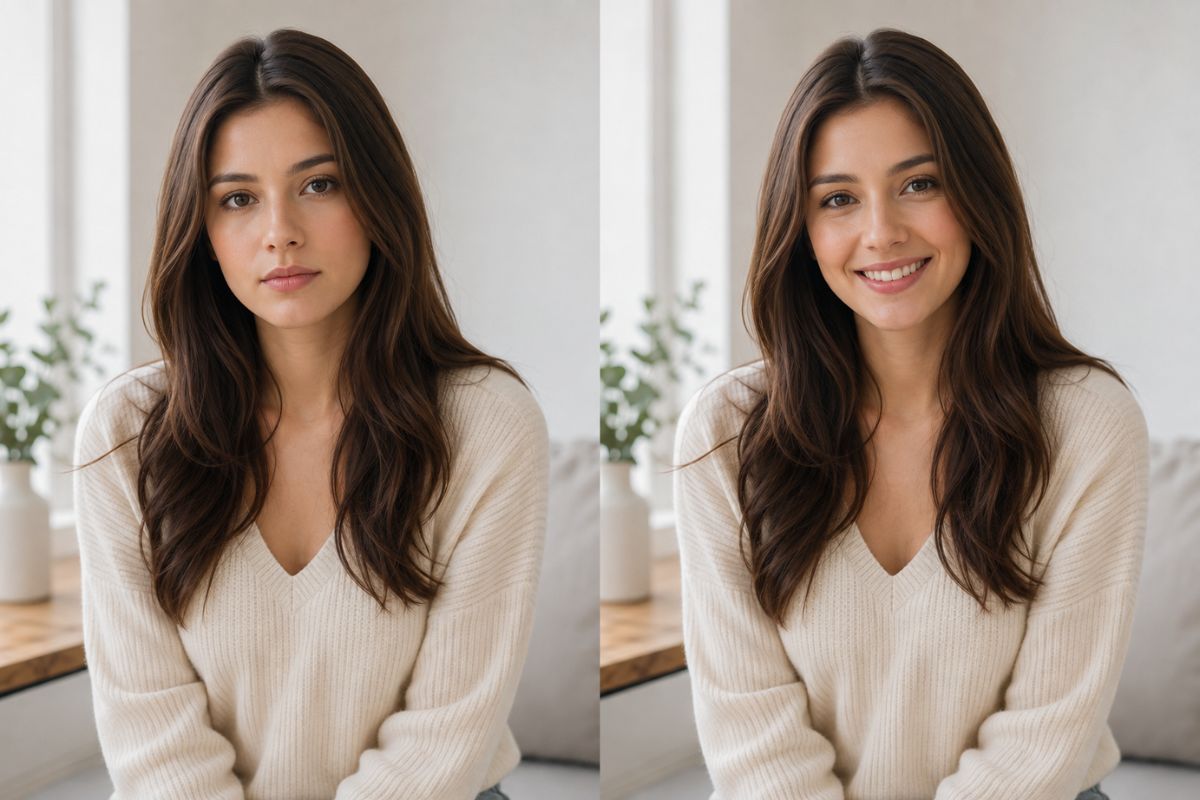
通过一张肖像创作自然微笑
平衡的面部表情
使用 图生图 编辑功能添加自然微笑,同时协调嘴部、脸颊和眼睛,创造出更逼真的表情,而不仅仅是改变嘴唇。
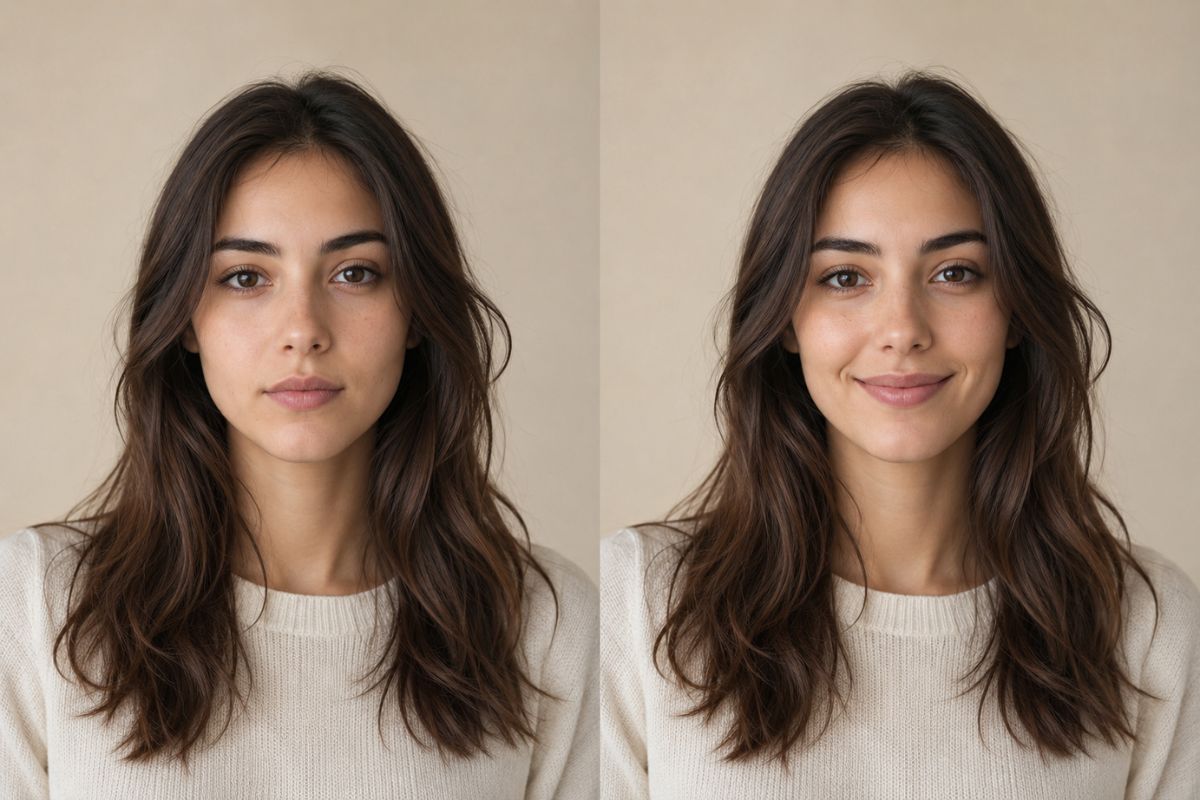
可辨识的肖像细节
清晰的正面照片为保留人物的发型、面部结构、皮肤纹理、光影和整体外观提供了更好的参考,同时还能调整表情。
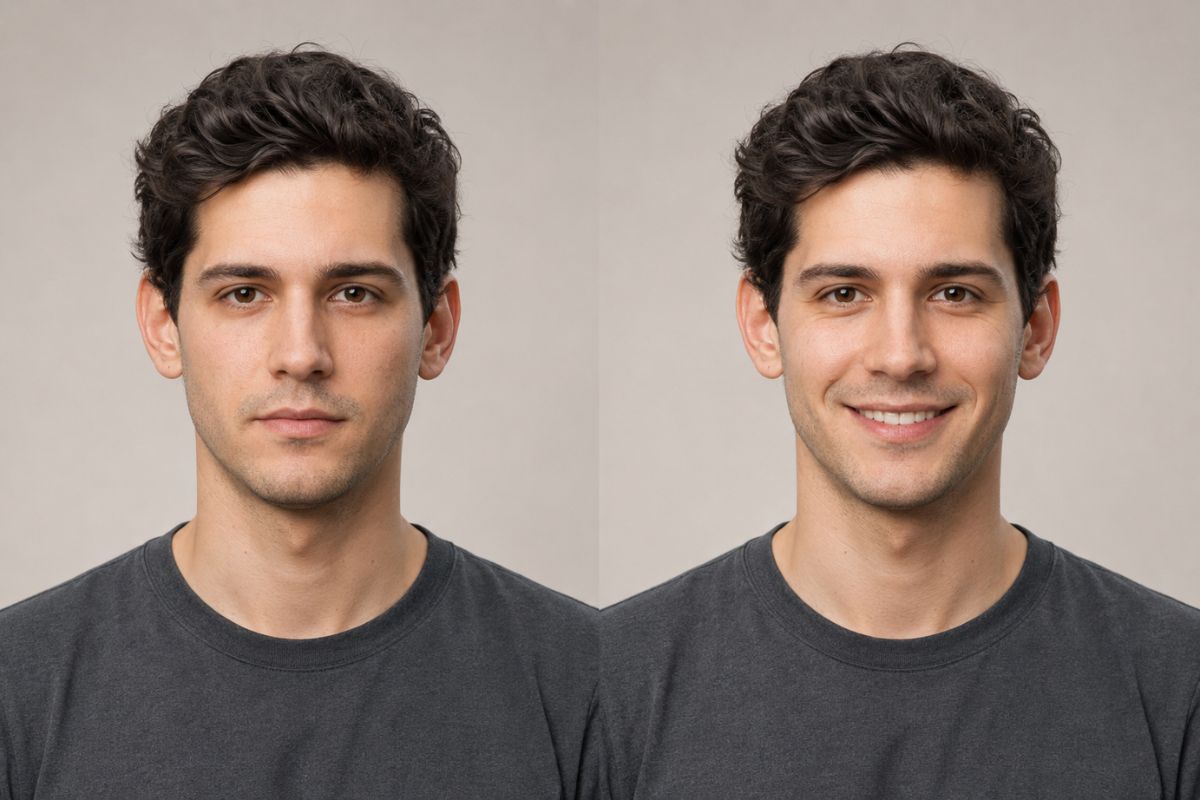
灵活的微笑情绪
探索不同的情感风格,从微妙的闭口微笑和友好表情到更明亮愉悦的神态,然后生成并比较多种变体,找到最适合您肖像的那一款。
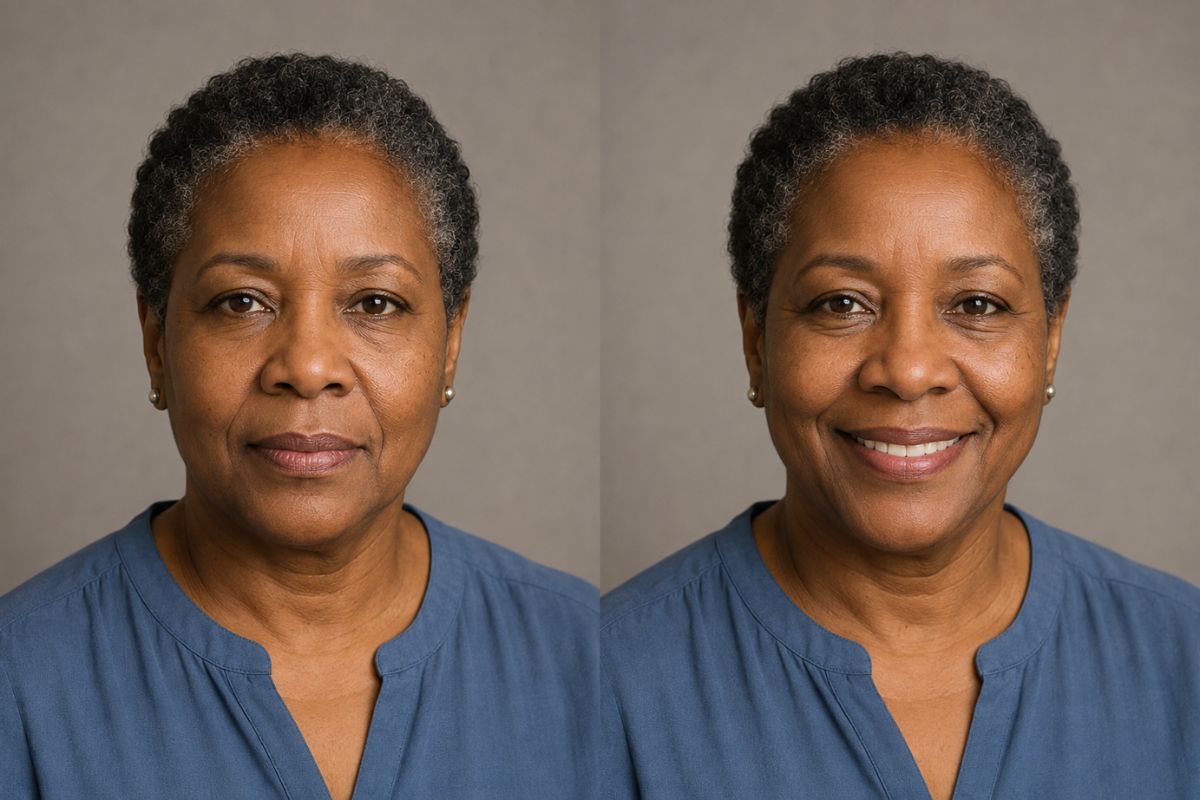
AI 微笑生成器的创意用法
个人资料图片
为中性表情的肖像照注入友好神态,用于个人资料。
家庭照片
为私人相册中的清晰个人肖像创作更温暖的版本。
问候图片
为庆祝或感谢图片添加欢快的表情。
角色表情
为原创插画角色赋予欢快的面部变化。
社交媒体帖子
为日常更新或公告创作积极向上的肖像变体。
肖像选择
在选择最自然的效果之前,对比不同的微笑变体。
如何应用 AI 微笑效果
上传、应用、预览并下载
- 01
上传您的肖像
选择一张清晰、光线充足、仅有一张人脸、角度自然且没有物体遮挡嘴部或脸颊的图片。
- 02
应用微笑效果
让 Imgfree 在调整表情的同时,保留肖像的主要特征、姿势、背景和光影细节。
- 03
预览并下载
检查牙齿、唇缘、脸颊、眼睛和脸型。如果微笑看起来不自然或面部细节出现偏差,请生成另一个版本。
AI 微笑生成器常见问题解答
什么是 AI 微笑生成器?
它能将合适的肖像转换为表情更友好或更开朗的新版本,同时力求保持人物的可辨识度。
AI 微笑效果是如何工作的?
上传一张肖像,应用效果,预览结果,然后下载在嘴部、脸颊和眼睛之间达到最自然平衡的版本。
什么样的照片效果最好?
使用清晰、正面或轻微侧向的肖像,且光线均匀、嘴部无遮挡。严重的模糊和极端的侧面照效果较差。
原始面部还能被识别出来吗?
该效果旨在保留人物的主要外貌,但牙齿、嘴唇、皮肤纹理和脸型可能会有变化。在使用结果前,请检查整个面部。
我可以在插画角色上使用 AI 微笑生成器吗?
清晰的原创插画角色肖像可能有效,但效果会因线条风格、面部角度以及嘴部绘制的清晰度而异。
我可以用它制作什么?
它适用于头像、问候图片、肖像变体、家庭照片编辑、社交媒体帖子以及原创角色表情。
我可以免费试用吗?
当前的免费额度、访问条款和下载选项显示在 Imgfree 界面中,并可能随时更改。
将中性肖像转变为温暖的微笑
Image Effects
View all 52AI Storyboard Generator
Use the Imgfree AI storyboard generator and AI storyboard creator to turn a reference image into cinematic frames for scenes, pitches, and visual planning.
Sunset Photo
Turn any portrait into a golden sunset photo with warm backlight, soft lens flare and a glowing sky. Your face, hair and outfit stay the same. Free, no sign-up.
AI Tongue Out
Create a playful AI tongue out face from a clear adult portrait. Apply the expression effect and review facial details with Imgfree.
AI Vampire Generator
Use the Imgfree AI vampire generator as an AI vampire creator and AI vampire maker. Turn a portrait into an original gothic vampire character.
Wall Art
AI wall art turns your photo into a framed gallery-style painting and shows it hanging in a room. Free to start, no sign-up needed. Upload one picture.
Charcoal
Use this charcoal drawing filter free to turn a photo into a smudged, hand-drawn sketch on textured paper. Upload one picture, no sign-up needed to start.
Crayon
Crayon AI drawing turns your photo into bright, waxy crayon art on paper. It is free to try with no sign-up needed. Upload one picture and watch it redrawn.
Crying Filter
Use the Imgfree crying face filter to add tears to a photo and create a natural sad face effect from one clear portrait.