Video Background Remover: Remove Background from Video in Seconds
Remove background from video online with Imgfree. Upload a clip, isolate the subject, preview edge quality, and export a clean result for your next edit.
25
Video Background Remover
Upload a short clip and remove background from video without tracing every frame by hand. Imgfree separates the moving subject from the scene so you can preview a clean cutout, inspect difficult edges, and continue editing with a simpler visual layer.

Remove a Video Background With Cleaner Subject Edges
Separate People From Busy Scenes
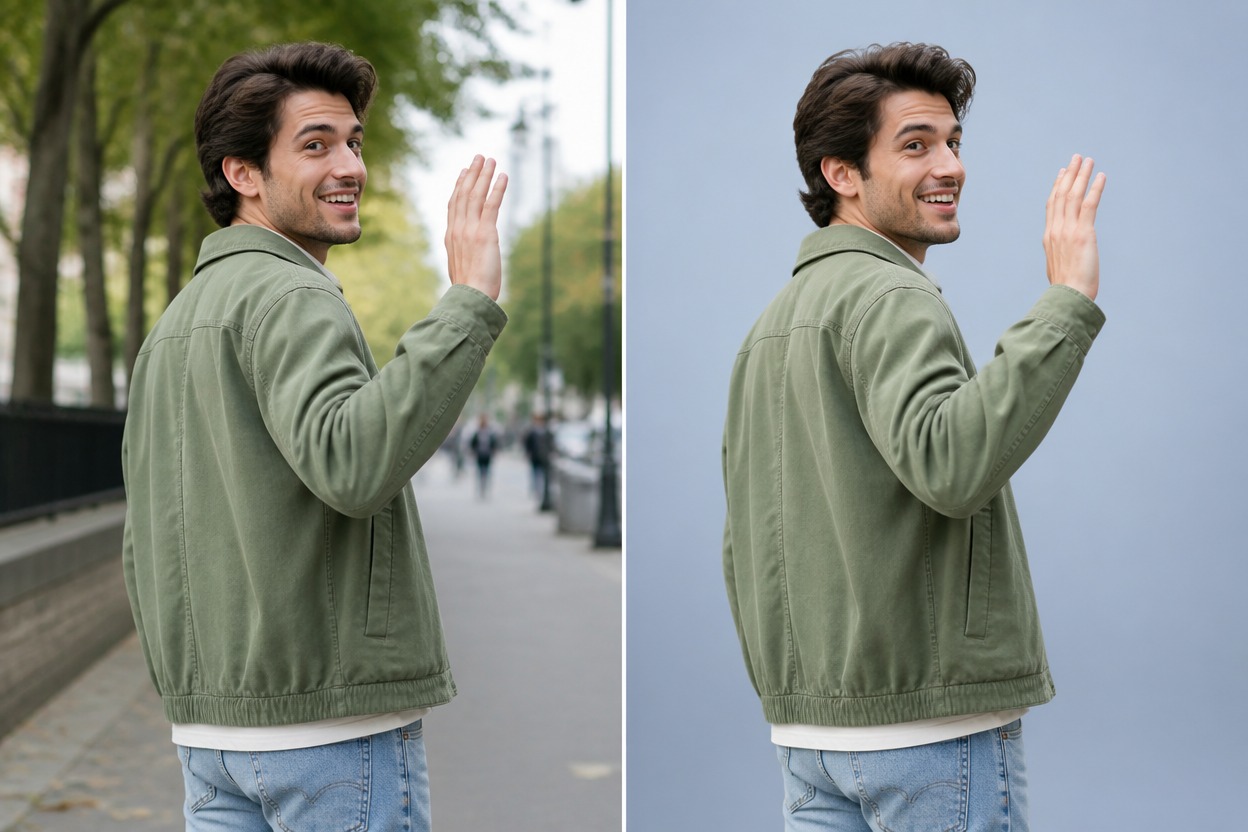
Turn a clip filmed in a room, office, or outdoor setting into a subject-focused result. Compare hair, shoulders, moving arms, and clothing edges across frames; these details reveal whether the cutout stays coherent rather than flickering around the person.

Handle Motion and Fine Edges
A useful MP4 background remover must cope with hair, loose sleeves, gestures, and changing gaps between the body and background. Review several moments in the clip instead of trusting one still frame, especially when motion blur or similar foreground and background colors are present.

Prepare Flexible Video Layers
Use the isolated subject for product explainers, social clips, lessons, reaction videos, or presentation footage. Treat the output as an editable cutout layer and check edge halos, missing details, and frame-to-frame stability before placing it over a new background.
What You Can Create
Product Explainers
Isolate a presenter before placing the clip over product graphics or a branded scene in a separate editor.
Social Media Clips
Create cleaner talking-head footage for short vertical edits, reactions, and creator updates.
Online Lessons
Separate an instructor from a distracting room before composing slides or diagrams behind the subject.
Presentation Videos
Prepare speaker footage that can sit beside charts, screenshots, or key points without a visible room.
Marketplace Demos
Remove a simple shooting background from hands-on product demonstrations and showcase clips.
Creative Composites
Use the cutout as a layer for new environments, stylized scenes, or motion design experiments.
How to Remove the Background of a Video
01
Upload Your Video
Choose a clear clip with one main subject, steady framing, useful contrast between subject and scene, and limited heavy motion blur.
02
Remove the Video Background
Apply the effect and let Imgfree separate the moving foreground from the original scene across the clip.
03
Preview and Download
Scrub through the result and inspect hair, hands, clothing edges, fast motion, gaps, and halos before downloading the processed video.
Frequently Asked Questions
Video Background Remover FAQ
Remove a Video Background
Upload a clear clip, isolate the moving subject, and prepare a cleaner layer for your next edit.