Free AI Passport Photo Maker: Create Professional Photos Online
Create a professional passport-style photo online with AI. Automatically adjust the background, framing, lighting, and portrait layout in seconds.
AI Passport Photo Maker
Turn an everyday portrait into a clean passport-style photo online. Imgfree automatically removes distracting backgrounds, centers the face, balances the lighting, and creates a polished ID photo in seconds—no manual editing required.
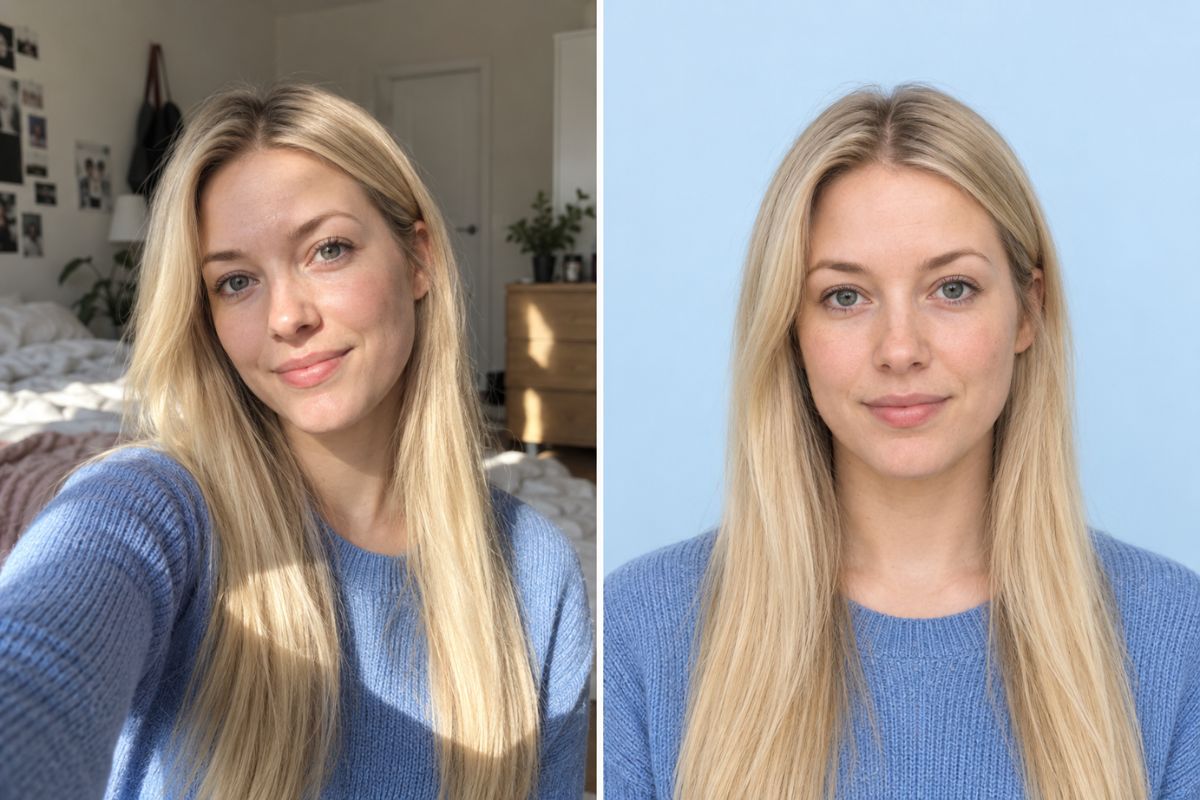
How to Make a Passport Photo Online
- 01
Upload a Portrait
Choose a clear, front-facing photo in which the face and shoulders are fully visible. JPG, JPEG, PNG, and WebP images work well.
- 02
Generate Your Passport Photo
Apply the effect and let Imgfree remove the original background, balance the lighting, center the face, and create an ID-style portrait.
- 03
Preview and Download
Review the generated photo, compare it with the original, and download the finished image for your intended use.
Create a Passport-Style Photo From Any Portrait
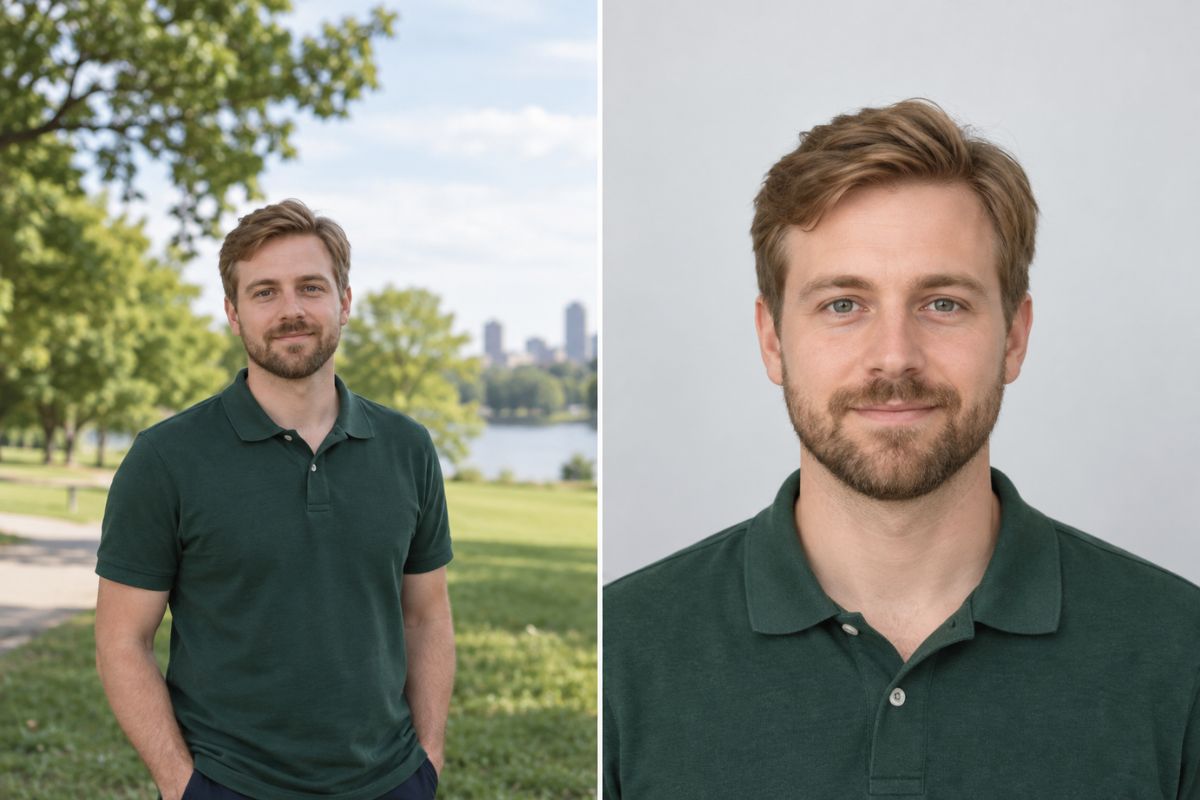
Create a Clean Passport Photo Background
Upload a portrait taken at home, in the office, or outdoors. The image to image tool detects the subject and replaces the original setting with a clean, evenly colored background suitable for an ID-style photo.
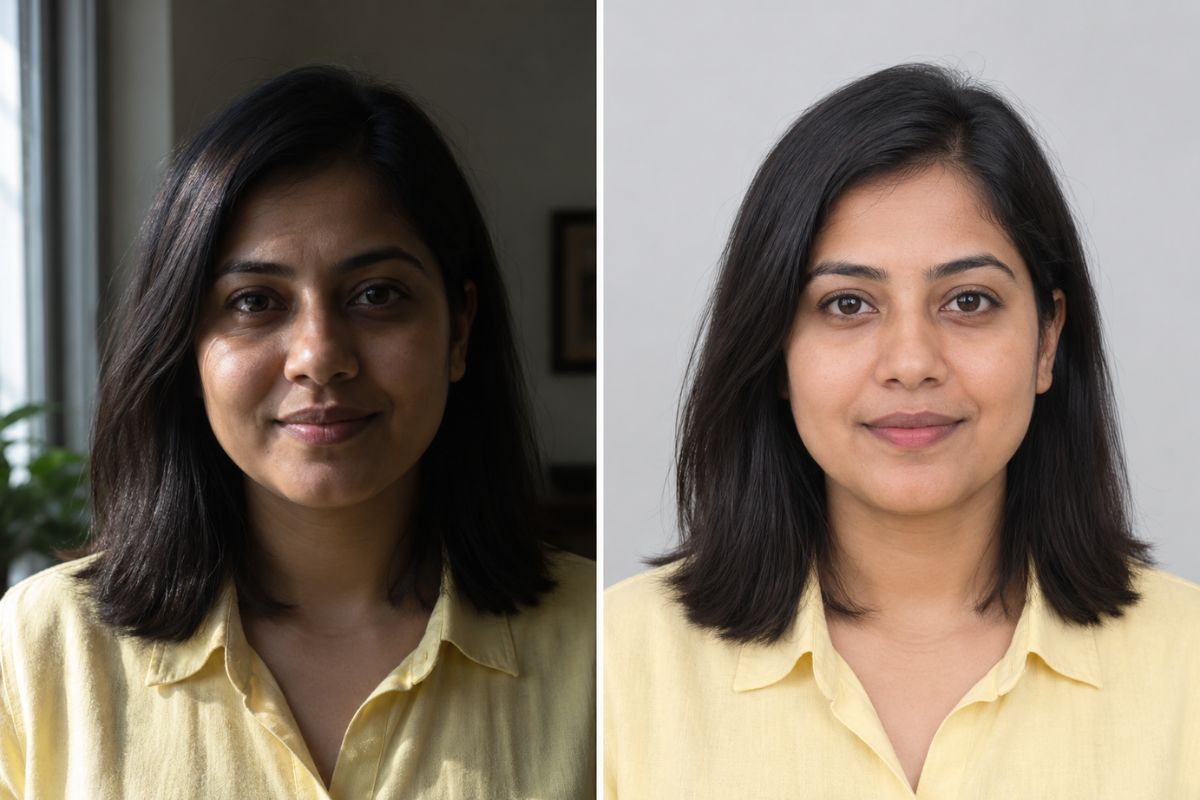
Balance Lighting for a Professional Look
Improve uneven lighting, reduce distracting shadows, and give your portrait a clear, natural appearance. Imgfree keeps the face recognizable while producing the balanced look expected from a professional ID photo.
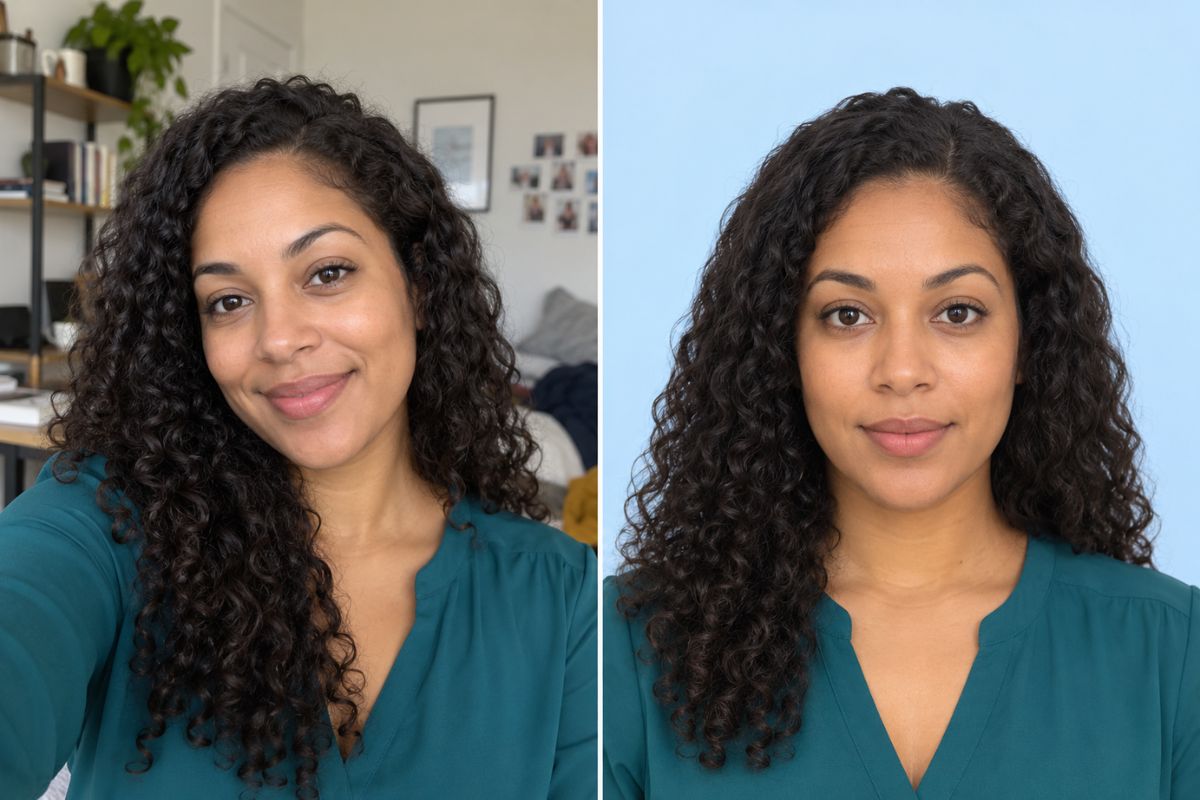
Automatically Center and Crop the Face
The passport picture generator automatically positions the face, shoulders, and headroom for a balanced ID-style composition. You can quickly turn loosely framed photos into neat, centered portraits without cropping them by hand.
AI Passport Photo Maker Features
Automatic Background Removal
Remove rooms, streets, furniture, and other distractions from your portrait automatically.
Clean Background Replacement
Replace the original background with a simple white or light-colored ID photo background.
Smart Face Centering
Position the face and shoulders in the center for a balanced passport-style composition.
AI Lighting Enhancement
Brighten poorly lit portraits and reduce uneven shadows without complicated manual adjustments.
Natural Facial Details
Preserve recognizable facial features, skin texture, hairstyle, and overall appearance.
Fast Online Generation
Create and download a polished passport-style portrait directly in your browser.
AI Passport Photo Maker FAQ
What is an AI passport photo maker?
An AI passport photo maker turns a regular portrait into an ID-style image by removing the background, centering the subject, improving the lighting, and applying a clean photo layout.
How do I make a passport photo from a regular picture?
Upload a clear front-facing portrait, apply the AI passport photo effect, and wait for Imgfree to generate a centered photo with a clean background. You can preview and download the result when processing is complete.
Can the tool remove my photo background automatically?
Yes. The tool detects the person in the uploaded image and removes distracting surroundings automatically before adding a cleaner ID-style background.
What kind of photo should I upload?
For the best result, use a sharp front-facing portrait with the full face visible, open eyes, even lighting, and no objects covering the hair, chin, or shoulders.
Does the AI passport photo maker change my face?
The tool is designed to preserve your recognizable facial appearance while improving the background, lighting, position, and overall presentation of the portrait.
Is the AI passport photo maker free?
You can open Imgfree and try the AI passport photo maker online. Current credits, generation limits, and download options are displayed in the tool.
Can I use the generated image for an official application?
Photo dimensions, background rules, and editing policies vary between countries and document types. Check the latest requirements from the relevant issuing authority before submitting the generated image.
Create Your Passport Photo Online
Upload a portrait and let AI create a clean, centered ID-style photo in seconds.