AI Couple Photo Maker from Two Photos | Imgfree
Make a couple photo from two photos with Imgfree. Combine two authorized adult portraits into one natural shared scene and compare inputs with the result.
AI Couple Photo Maker
Upload two adult portraits and combine them into one shared image. Imgfree adjusts the faces, scale, pose, lighting, and background to create a couple-photo concept from separate source photos.
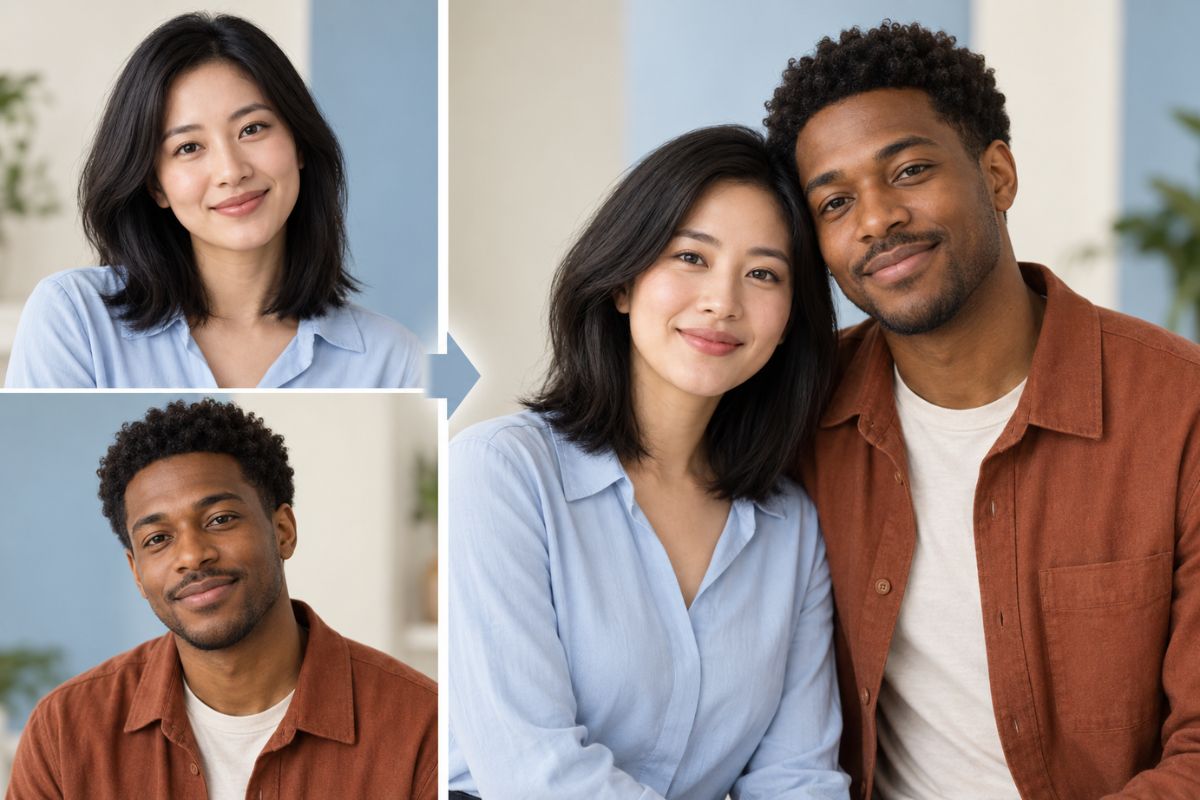
Turn Two Photos Into a Couple Portrait
Combine Two Portraits
Upload two individual photos and create a shared couple portrait. The generated image uses both source photos to guide the faces, hairstyles, clothing, and overall composition.
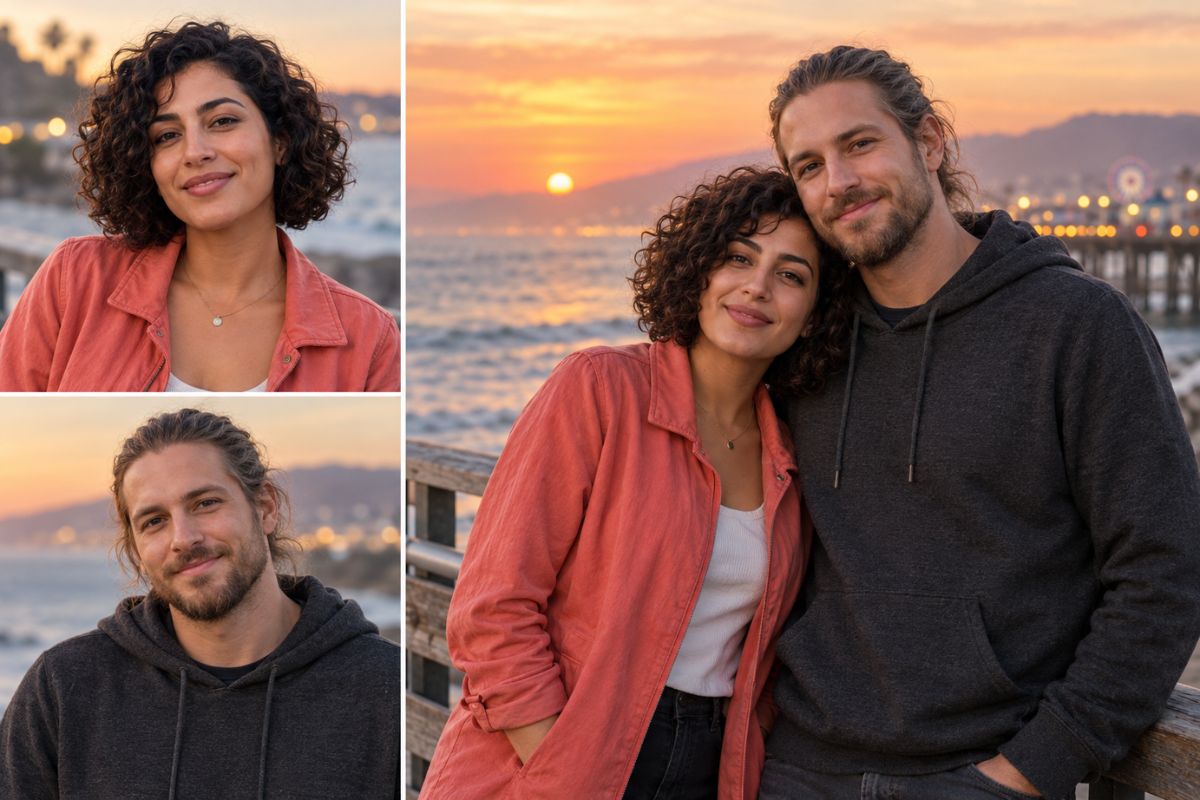
Coordinate Light and Background
The effect adjusts camera angles, lighting, shadows, skin tones, and background elements so the two portraits can be presented within one scene. You can also explore more creative transformations with Imgfree’s image to image tools.
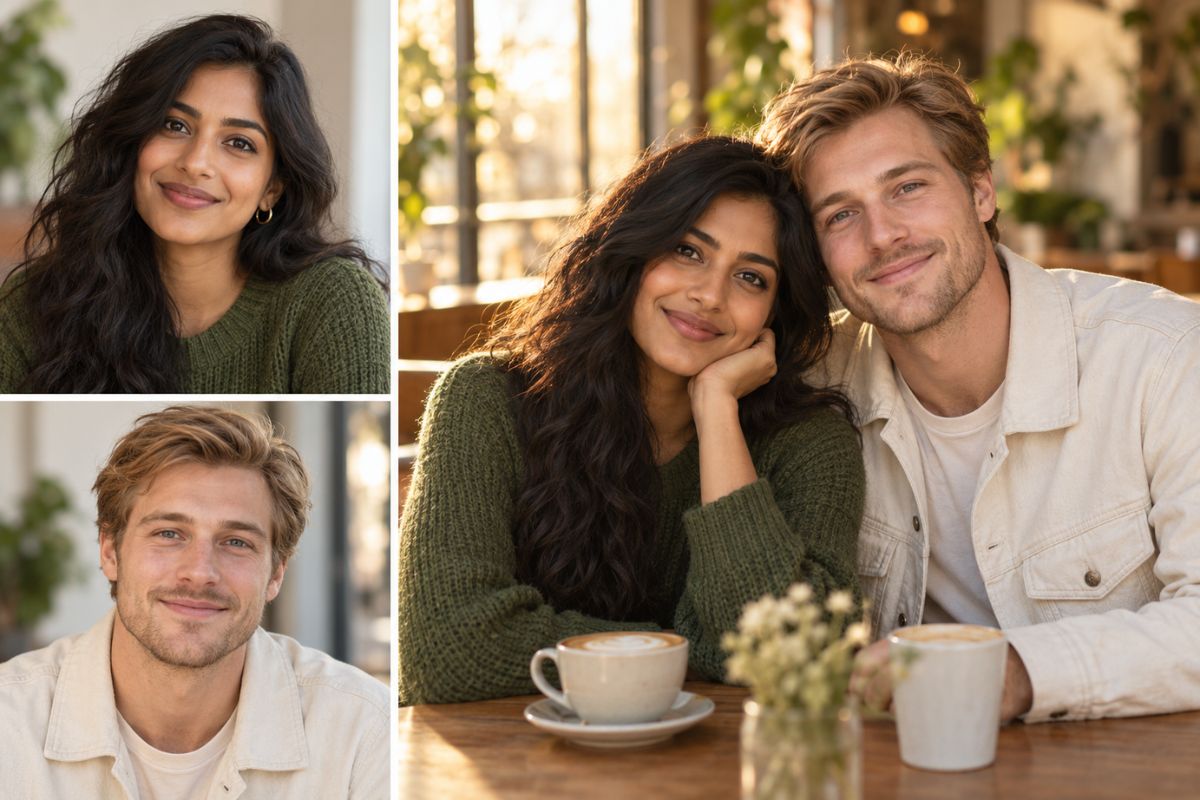
Explore Different Couple Scenes
Try walking scenes, seated poses, travel-inspired settings, celebration moments, or simple side-by-side portraits. Generate different versions to compare the pose and setting.
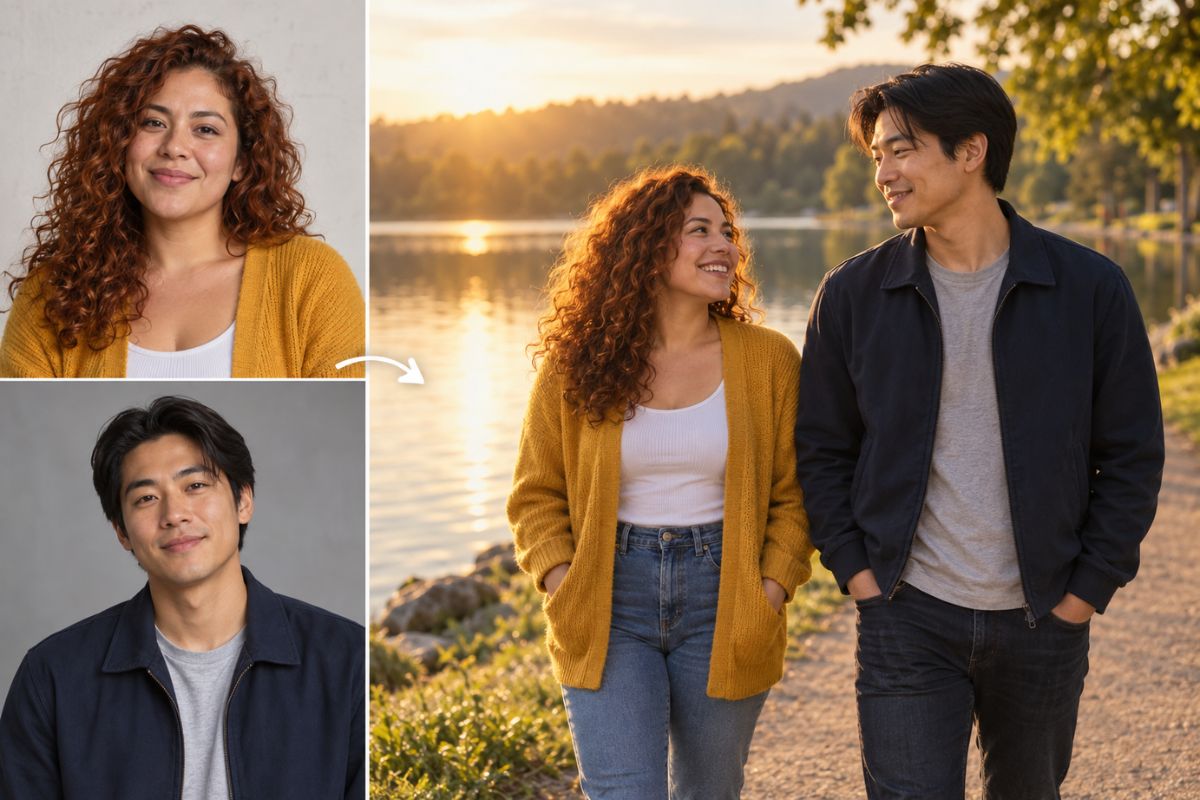
How to Make AI Couple Photos
- 01
Upload Two Photos
Choose two adult portraits with clear faces, visible details, and similar framing where possible.
- 02
Apply the Couple Effect
Let Imgfree combine the two subjects into a generated scene with an adjusted pose, scale, lighting, and background.
- 03
Preview the Result
Compare the source portraits with the generated image. Check the faces, hands, body spacing, clothing edges, and lighting.
What You Can Create
Long-Distance Keepsakes
Combine two portraits into one shared scene for a personal photo project or digital keepsake.
Anniversary Concepts
Create a couple-photo idea for an anniversary mood board, greeting, or personal project.
Profile and Cover Photos
Build a coordinated couple portrait with framing suited to a social profile or cover image.
Travel Scene Composites
Place two adults together in a destination-inspired scene with adjusted light and background details.
Invitation Mockups
Develop a couple portrait concept before adding names, dates, or event typography separately.
Story Character Pairs
Combine two fictional adult character portraits into a relationship-focused scene.
AI Couple Photo Maker FAQ
What is an AI couple photo maker?
An AI couple photo maker combines two individual portraits into one shared image with an adjusted pose, setting, lighting style, and composition.
How do I make a couple photo from two photos?
Upload two clear portraits, apply the couple photo effect, and review the generated image. You can compare the result with the original photos before downloading.
How can I make AI couple photos look better?
Choose photos with visible faces, similar camera angles, sufficient resolution, and compatible lighting. Clear images with less obstruction are easier to use.
Can I use two photos with different backgrounds?
Yes. The effect can place the two subjects within a new shared setting, although large differences in lighting, image quality, or camera angle may affect the result.
Can I use selfies for an AI couple photo?
Yes. Selfies can work when both faces are clear and the images are not heavily blurred, cropped, filtered, or obstructed.
Can I use full-body photos?
Yes. Full-body photos provide more information about posture, clothing, and body position, but the generated pose may still differ from the source images.
Can I use photos of real people?
Yes, but only use images you have permission to upload. Avoid deceptive, harmful, or non-consensual edits of real people.
Is the AI couple photo maker free?
You can open Imgfree to check the current trial credits, generation limits, and download options.
Can I create a couple photo online without an app?
Yes. The online tool lets you upload two portraits, apply the effect, preview the generated image, and download a result through your browser.
Can I change the pose or background?
You can generate additional variations to explore different poses, outfits, moods, backgrounds, and scene types.
Will both people remain recognizable?
The source portraits guide the generated image, but facial details, hair, clothing, body proportions, and background elements may change. Review the result before sharing it.
Can I use the tool for a long-distance couple photo?
Yes. Two separate portraits can be used to create a shared couple-photo concept without taking a new photo together.
Can I create a couple profile picture?
Yes. Try a close portrait, side-by-side composition, or wider scene and select the version that fits your profile layout.
Can I make an AI wedding or anniversary photo?
You can use the effect to explore wedding, anniversary, celebration, or invitation concepts with different clothing and backgrounds.
Why do hands, faces, or clothing sometimes look unusual?
Generated details can vary when the source photos are blurry, heavily edited, poorly lit, or taken from very different angles. Try clearer images and compare several variations.
Can I use the generated couple photo commercially?
Commercial use depends on the applicable Imgfree terms, the rights to the source photos, and permission from any identifiable people or assets shown in the image.
Create a Couple Photo from Two Portraits
Upload two adult portraits and create a shared couple-photo concept with different poses and settings.